
Auto Apply for Jobs (2026): How It Works, Best Tools and Risks
How to auto apply for jobs: what auto-apply bots do, ban and spam risks, which tools are worth paying for, and how to set one up safely.

To auto apply for jobs, you give an auto-apply tool your resume, your answers to common screening questions and your job preferences; it then finds matching openings and fills in and submits applications for you, in some tools only after you approve each one. Auto-apply is legitimate and can save many hours a week, but results depend on targeting, and tools that spray applications or automate sites whose rules ban bots carry real risks.
This guide explains how auto-apply works, the types of tools, what they cost as of October 2026, the risks and how to set one up safely, from a free browser autofill extension to a fully automated AI job application bot.
Key takeaways
- Auto-apply ranges from autofill extensions (you click submit) to fully automated bots that find jobs and apply for you.
- Prices vary widely: free tiers with small limits, credit packs, weekly or monthly subscriptions, and annual plans.
- The main risks are poor targeting, inaccurate screening answers, platform rules (LinkedIn bans bots) and non-refundable billing.
- Set strict filters, start with a review step, keep your answers accurate and track results weekly.
- Use automation for volume and keep your top-choice applications personal.

What does auto apply for jobs mean?
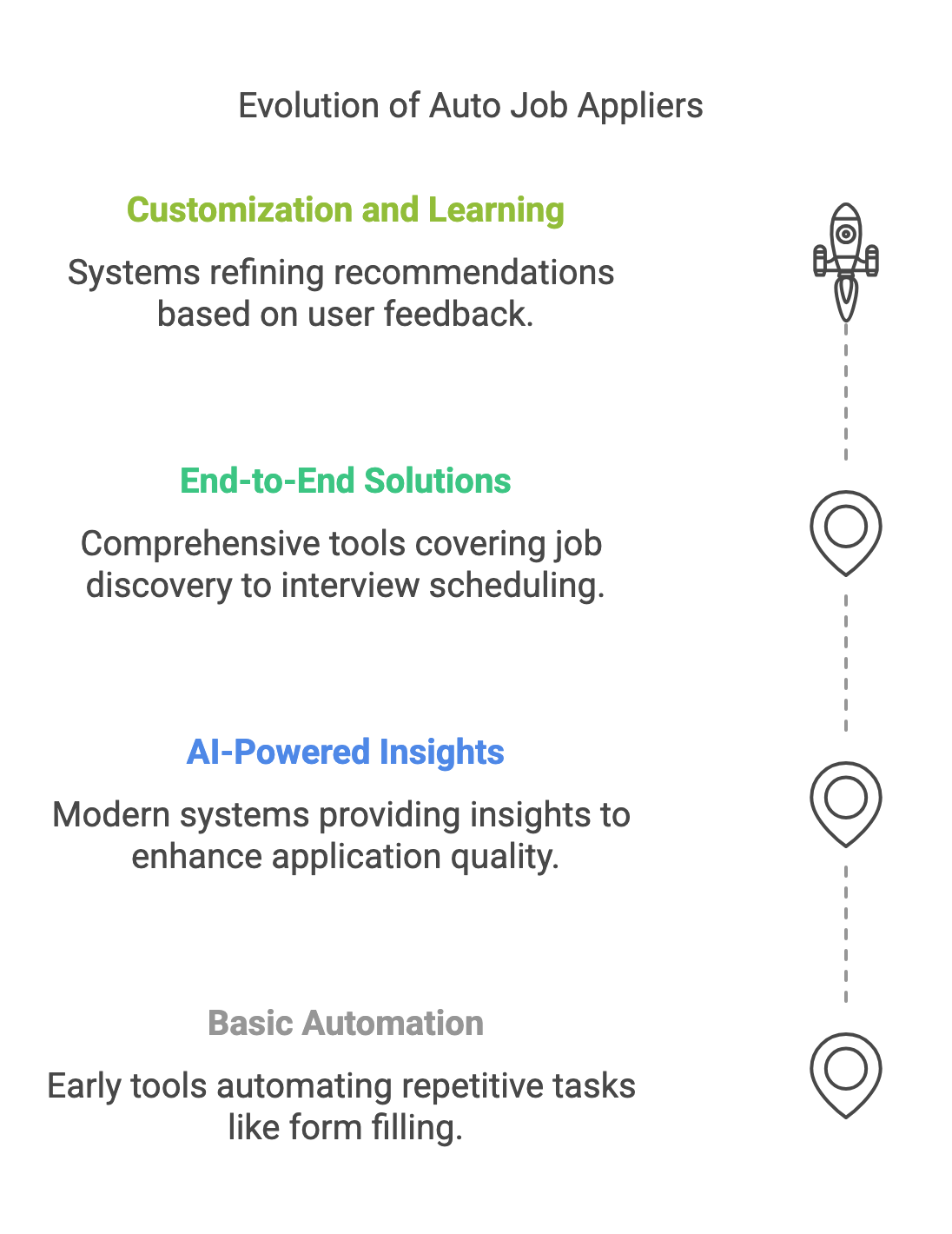
Auto apply means software completes and submits job applications on your behalf. Instead of retyping your history into every form, you set up a profile once; the tool reuses it, tailors what it can and sends the application. Most tools combine two jobs: automated job search, which finds openings that match your filters, and AI automated job application, which fills in and submits the forms.
Not every “auto-apply” product automates the same amount:
| Type | How it works | Examples (October 2026) | Your control |
|---|---|---|---|
| Autofill extension | Fills in the form in your browser; you review and click submit | Simplify Copilot, Careerflow autofill, Jobright autofill | Full: you submit every application |
| Credit- or limit-based auto-apply | Applies for you within a weekly or per-credit allowance | AIApply Auto-Apply (credit packs), Simplify Autopilot (20 credits a week), Jobscan Auto Apply (credit packs) | High: small volumes, often reviewed |
| AI job application bot | Finds jobs and applies every day within your filters | JobsAICopilot, JobCopilot, LoopCV, LazyApply, Wobo, FastApply | Depends on settings; the best include a review step |
| Done-for-you service | Paid service or human team runs your search | LoopCV Done For You, job application services | Low: you delegate the process |
If you want to understand the human-service end of that spectrum, read our comparison of job application services, AI vs human.
How auto-apply works, step by step
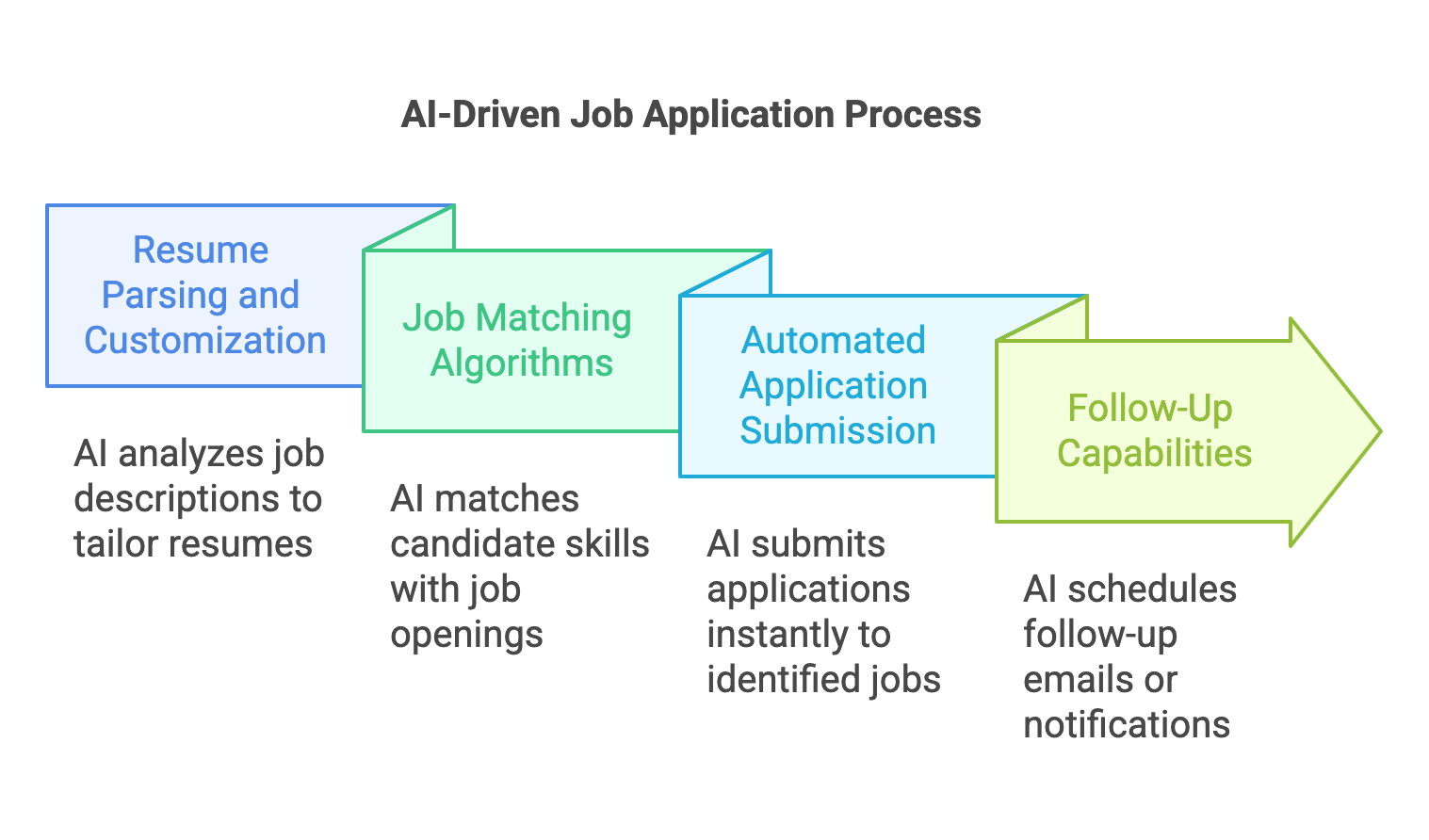
- Build your profile once. Upload your resume and add your work history, education and key skills.
- Answer the screening questions. Work authorization, sponsorship, salary expectations, notice period and willingness to relocate come up on most forms; good tools store your answers so they are consistent.
- Set your filters. Job titles, locations, remote or on-site, seniority, salary range, keywords and companies to exclude (such as your current employer).
- The tool finds openings. Depending on the product, it collects listings from job boards, company career pages or both.
- It tailors the application. Some tools rewrite your resume or write a cover letter for each job; others reuse a single version.
- You review, or not. The safest tools let you approve each application before it is sent; others submit automatically.
- It submits and logs the application, ideally in a tracker you can check daily.
Auto-apply risks: legitimacy, safety and platform rules
The tools are legitimate products, and using them is not against the law. The risks are practical, and most can be managed:
- Platform rules. LinkedIn’s User Agreement, checked on October 7, 2026, says members must not “use bots or other unauthorized automated methods to access the Services,” and LinkedIn “reserves the right to restrict, suspend, or terminate your account” for breaches. Keep LinkedIn applications manual, or use tools that apply on company career sites instead.
- Poor targeting. A badly tuned tool can apply to jobs you would never accept, or to the same employer several times. Recruiters notice scattershot applications, and that can hurt your reputation with a company you care about.
- Knock-out questions. Automated answers about work authorization, years of experience or salary must be accurate. One wrong answer can disqualify you, or misrepresent you.
- Your data and logins. Check what a tool stores, whether it needs your job-board passwords and how it shares data. Some tools create application email aliases or accounts in your name.
- Billing. Several auto-apply services make fees non-refundable or renew automatically, so read the terms before you pay.
Three rules keep auto-apply ethical: make sure every piece of information is true, review applications before they are sent whenever you can, and use automation to enhance your job search, not to replace your engagement with employers you genuinely want to work for.
Where auto-apply works: LinkedIn, job boards and career sites
Where a tool applies matters as much as how many applications it sends:
- LinkedIn. Its user agreement bans bots and unauthorized automated methods, so automated LinkedIn applying puts your account at risk. LinkedIn’s own Easy Apply is quick enough to do by hand for roles you really want.
- Job boards. Large boards carry huge numbers of listings, including reposts and roles that are already filled. Read each board’s terms before letting any tool act on your account, and check that a listing is still open on the employer’s site.
- Company career sites. Applying where the employer actually hires, through systems such as Workday, Greenhouse or Lever, avoids platform-account risk and duplicate reposts. These forms vary widely, which is why tools that apply here need to handle multi-step applications and screening questions reliably.
If a vendor cannot tell you clearly where it submits applications, ask before you pay.
Does auto-apply actually get interviews?
It can, but no tool can promise interviews, and vendor statistics are not independent evidence. AIApply, for example, says “61% of users get an interview in first 10 days,” and Simplify says its paid users “receive 2× more interviews,” both based on their own data. Treat claims like these as marketing, not as a forecast for your search.
What reliably moves results is match quality. A tool that sends 30 well-targeted, accurate applications a day will usually outperform one that sends 300 to anything with a matching keyword. Measure it yourself:
- Track replies per 50 applications, counting any recruiter response, screening call or interview invitation.
- Compare by job title and location to see which filters are working.
- Tighten filters where replies are low, and widen them only where replies are strong.
- Fix the resume first if replies stay low across every filter: the problem is usually the document, not the volume.
Common auto-apply mistakes
- Applying to every title that sounds close. It fills your tracker with roles you do not want and wastes recruiters’ time.
- Using one generic resume for very different roles, when tailoring is available.
- Rushing the screening answers, especially salary and years of experience, which many systems use to filter candidates automatically.
- Running several tools at once, which can send duplicate applications to the same employer.
- Ignoring replies. Speed matters after the application too; answer recruiters the same day.
- Forgetting the subscription. Note renewal dates and refund windows when you sign up.
Best auto-apply tools in 2026 and what they cost
Prices and limits as published on each tool’s own website on October 7, 2026. JobsAICopilot is our product.
| Tool | Type | Price (as listed) | Volume | Review step |
|---|---|---|---|---|
| JobsAICopilot | AI job application bot | Premium $14.54/week, Elite $17.92/week; cheaper per week monthly or quarterly | Up to 20 a day (Premium) or 50 (Elite) | Review Mode: approve every application |
| JobCopilot | AI job application bot | From $0.93/day (Premium) or $1.05/day (Elite); period totals not shown | Up to 20 or 50 job matches a day | Option to review before applying |
| LoopCV | Auto-apply and recruiter emails | Free plan; €8.99/month Standard; €29.99/month Premium | 10, 100 or 300 applications or emails a month | You can edit messages before they are sent |
| LazyApply | Bulk auto-apply extension | $99, $149 or $999 a year | 15, 150 or 1,500 a day | Not described on its site |
| Wobo | AI auto-apply | Free; Unlimited $34.99/month; Autopilot $44.99/month | 5 a day free; unlimited on paid plans | On Free and Unlimited you choose each job |
| FastApply | Auto-apply and extension | 5 free applications; from $12.67/month on its 90-day plan | 200 to 1,000 a month | Applies above a match score you set |
| AIApply | Writing toolkit with credit-based auto-apply | Subscription plus credit packs; no public prices | 1 credit per application | Review drafts before sending |
| Simplify | Autofill plus Autopilot | Free Copilot; Simplify+ $19.99/week | Autopilot 20 credits a week | Copilot: you submit |
What to look for in an auto-apply tool
- Where it applies: company career pages, job boards or both.
- A daily limit you control, not just “unlimited.”
- A review step so you can approve applications before they go out.
- Tailoring: a resume adjusted to each job, not one generic file.
- Stored screening answers you can edit at any time.
- A tracker that logs every application automatically.
- Published pricing and a clear refund policy before you enter card details.
- Clear data handling: what it stores, and whether it needs your passwords.
For the full ranking, including tools that do not auto-apply, see our guide to the best AI job application tools. Some services, such as JobHire.ai and Sonara, do not publish prices publicly, so we have left them out of this table.
Free auto-apply options
Some of it is. As of October 2026:
- Free autofill: Simplify’s Copilot extension fills in applications and tracks them for free; you still click submit.
- Small free allowances: Wobo’s free plan sends 5 applications a day, LoopCV’s free plan allows 10 applications or emails a month and FastApply offers 5 free applications.
- Paid volume: daily automated applying at any real scale is a paid feature everywhere, priced by the week, month, year or per application. JobsAICopilot has no free trial; its weekly plan keeps the first commitment small.
If you are on a tight budget, combine a free autofill extension with a disciplined daily routine, and pay for automation only when volume becomes the bottleneck. Our guide to job application autofill tools compares the free options.
How to set up auto-apply safely
- Write strict filters. Exact titles, locations, seniority and a salary floor. Avoid “any job” settings.
- Exclude companies you already applied to or would not join, including your current employer.
- Answer screening questions carefully and double-check years of experience, work authorization and salary.
- Start in review mode for the first week, then decide how much to automate.
- Use a dedicated email address for applications so replies are easy to spot.
- Customize where it matters. Apply manually, with a tailored resume and a cover letter, to your top-choice employers.
- Keep LinkedIn manual and follow every platform’s rules.
- Track and follow up. Review responses weekly, follow up on promising leads and adjust filters based on what gets replies.
How many applications should you send? Enough that you can follow up properly. Our guides to mass applying for jobs the right way and how to use AI to apply for jobs go deeper on volume and workflow.
Who should use auto-apply, and who should not
Good fit:
- Job seekers who need a job quickly and are targeting roles with many openings.
- Employed professionals who cannot spend evenings filling in forms.
- Career changers applying across several job titles; the AI Career Change Helper can help you map transferable skills first.
- Students and new graduates applying to many entry-level roles; see the AI Student Career Helper.
Weaker fit:
- Senior and executive candidates, where networking and referrals drive most hires.
- Very niche roles with only a handful of openings, which deserve individual attention.
Auto-apply vs applying manually vs a job application service
| Applying manually | Auto-apply tool | Done-for-you service | |
|---|---|---|---|
| Speed | Slowest | Fastest | Fast, depends on the provider |
| Volume | A few a day | Dozens a day, within limits | Varies by package |
| Personalization | Highest | Medium to high with tailoring | Varies |
| Cost | Free | From a few dollars a week | Usually the most expensive |
| Control | Total | High with a review step | Lowest |
| Best for | Top-choice roles | High-volume searches | People who want to delegate entirely |
How to auto apply for jobs with JobsAICopilot
JobsAICopilot, which publishes this blog, is an AI job application bot. Here is how it works:
- Upload your resume once and answer standard screening questions, such as work authorization and salary expectations.
- Set your rules: up to 3 job titles per copilot, locations or remote work, seniority, salary range, required keywords and up to 20 excluded companies.
- Your copilot searches the career pages of 50,000+ companies, checking for new matches every two hours.
- It applies to up to 20 jobs a day on Premium or 50 on Elite, with an AI-tailored resume for every application on Elite. Turn on Review Mode to approve each application first.
- Track everything in the AI Job Tracker, and get a daily email summary.
Premium costs $14.54 a week and Elite $17.92 a week, with lower weekly costs on monthly ($33.69 or $44.96) and quarterly ($84.40 or $106.94) billing. There is no free trial.
Start auto-applying, with you in control
Auto-apply works best as a disciplined system: clear filters, accurate answers, a review step and regular follow-up. If you want that system running every day, JobsAICopilot applies to matching roles on company career pages within your rules. Start with AI automated job application, compare plans on the pricing page, or browse more guides in Applying for Jobs.
Applying for Jobs
Frequently Asked Questions
Still have a question?
Write to contact@jobsaicopilot.com or visit our contact page.
Is auto apply legit?
Yes. Auto-apply tools are real software that fill in and submit job applications for you, and many established companies sell them. Whether they help depends on how you use them: tight filters, accurate screening answers and a review step produce better results than mass-applying, and automating sites whose rules ban bots, such as LinkedIn, can put your account at risk.
Is auto apply free?
Partly. Free options exist with limits: Simplify's Copilot extension autofills applications for free, Wobo's free plan sends 5 applications a day, LoopCV's free plan allows 10 applications or emails a month, and FastApply offers 5 free applications, as of October 2026. Fully automated applying at daily volume is a paid feature on almost every tool.
What job app automatically applies you to stuff?
Apps that apply for you include AI job application bots and auto-apply tools such as JobsAICopilot, JobCopilot, LoopCV, LazyApply, Wobo, FastApply and AIApply's Auto-Apply. They differ in where they apply (company career pages or job boards), daily limits, pricing and whether you can review each application first. Compare those four factors before paying.
Is it okay to use AI to apply for jobs?
Generally yes, if the application is truthful and relevant. Employers care about whether you fit the role, not whether software filled in the form. Keep every answer accurate, review applications before they are sent, tailor your resume to the job and follow each platform's rules, since some sites prohibit automated activity on their services.
Can I create a bot to automatically apply for jobs?
Technically yes, with browser automation scripts, but it is harder than it looks: every hiring system has different forms, screening questions and anti-bot checks, and some platforms, including LinkedIn, ban bots in their user agreements. Most job seekers are better served by an established tool that handles form variations, keeps answers consistent and lets them review applications.
How much does AI Apply cost per month?
AIApply does not publish prices on its public pages; as of October 2026 its pricing URL redirects to the homepage and prices appear after sign-up. It sells a Premium subscription, monthly or annual, and separate Auto-Apply credit packs of 100 or 250 credits, where one credit is one application. Check the combined cost in the app before buying.


